How to check DirectX version
- Go to the Windows START Menu.
- Select RUN or Command Prompt.
- Type dxdiag and click OK.

Click Yes when you see the following message:

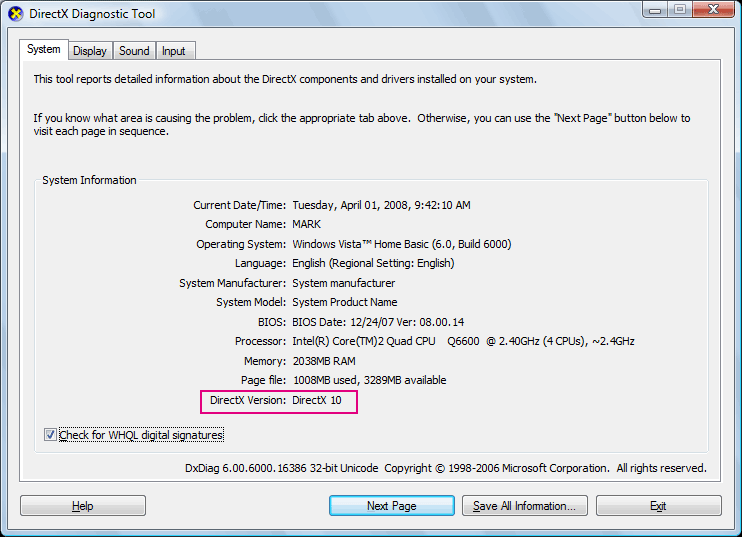
Read the DirectX version information near the bottom of the DirectX Diagnostic Tool:
Click Yes when you see the following message:
Read the DirectX version information near the bottom of the DirectX Diagnostic Tool: